
RPM Jobs

Integration of Job Journal entries with Work Orders in RPM for Equipment Rental

One step. One interface. Work made easier.

Eliminate redundant data entry between the Job Journal and Work Orders

Stop toggling between systems to enter the same work order details twice. RPM Jobs keeps your service data synchronized automatically.

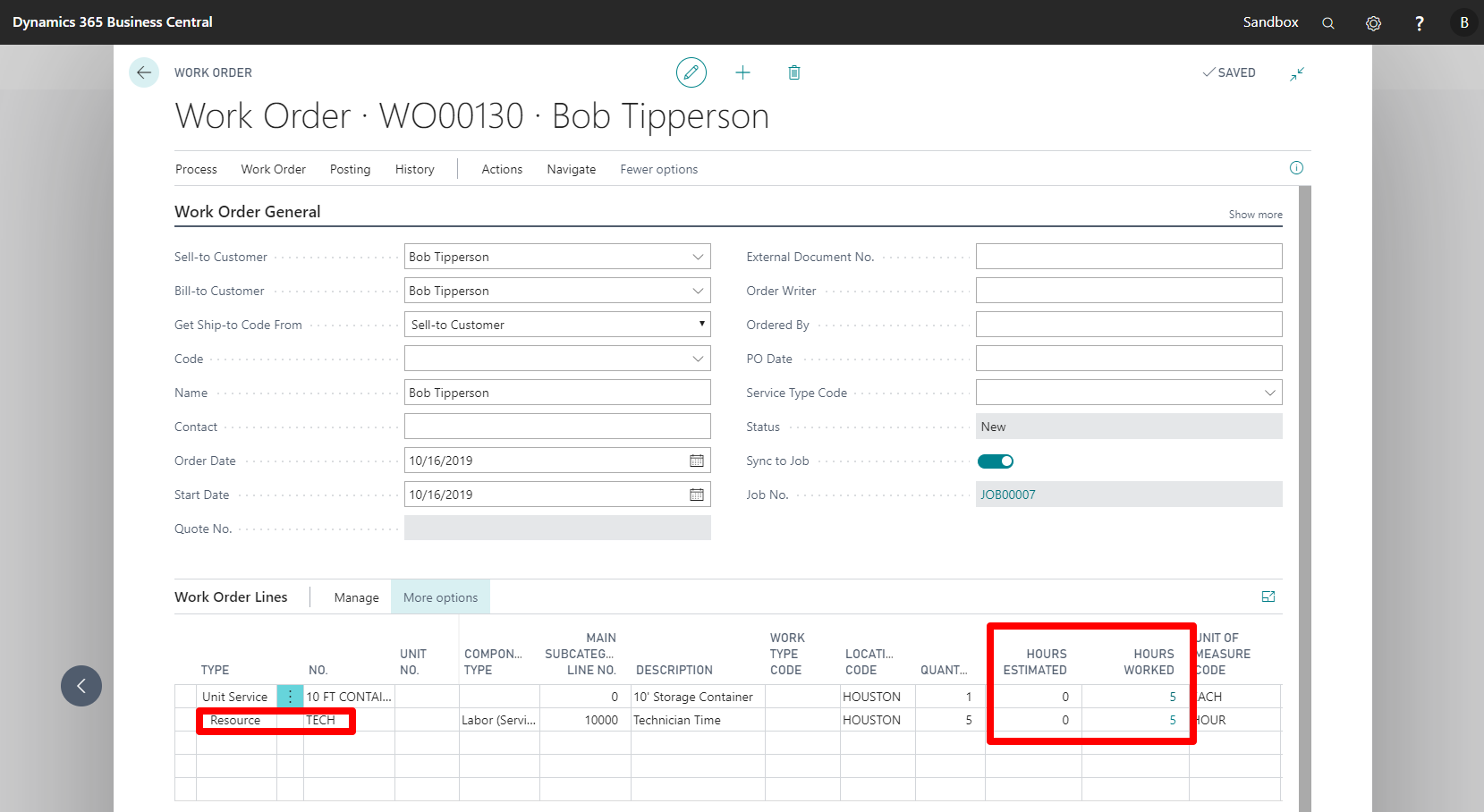
Your team shouldn’t enter the same job data twice. With RPM Jobs, work logged in Business Central’s Job Journal syncs directly to your RPM Work Orders. One click populates matching resource lines, labor entries, and task details. No duplicate entry, no mismatched records—just accurate job data ready for invoicing.

You've got options!

RPM Jobs works with the job management tools you’re already using. Connect with Shop Floor Insight by Insight Works for enhanced job tracking, or RPM ExpandIT, or use it standalone with Business Central’s native Job Journal. You’ve got options that fit your workflow.

*A current, licensed version of RPM and Microsoft Dynamics 365 Business Central is needed to use this app.

Link to Business Central Apps on Microsoft AppSource
Simplifying processes in your company increases profitability.

We developed this app specifically for you, our clients, to save time on processes within the Business Central tools you already use.

We’re happy to give you a Personalized Demonstration, absolutely FREE.

Here's How It Works

1. Your technician completes a work order in RPM with all service details
2. Click “Sync Jobs” directly from the Work Order screen
3. Resource lines populate automatically in Business Central’s Job Journal
4. Invoice from complete, accurate data without re-entering anything

The sync happens in seconds. The time you save adds up fast.

Common Questions

Does this work with Shop Floor Insight?

Yes. RPM Jobs integrates with Shop Floor Insight by Insight Works for enhanced job tracking capabilities.

Is there a cost for RPM Jobs?

No. RPM Jobs is free to download from Microsoft AppSource. You’ll need active RPM and Business Central licenses.

Why Equipment Dealers Choose RPM Jobs

Manual data entry between systems creates problems. Your service team enters work order details in RPM. Then someone in accounting re-enters the same information in Business Central’s Job Journal for billing.

That’s double the work, double the opportunity for errors, and wasted time your team could spend on revenue-generating activities.

RPM Jobs eliminates that redundancy. Your data flows from work order to job journal, keeping your service operations and financial records in sync without extra effort.

Ready to eliminate duplicate data entry? Download RPM Jobs free from Microsoft AppSource, or schedule a demo to see how it works with your current RPM setup.